Your service, step by step.
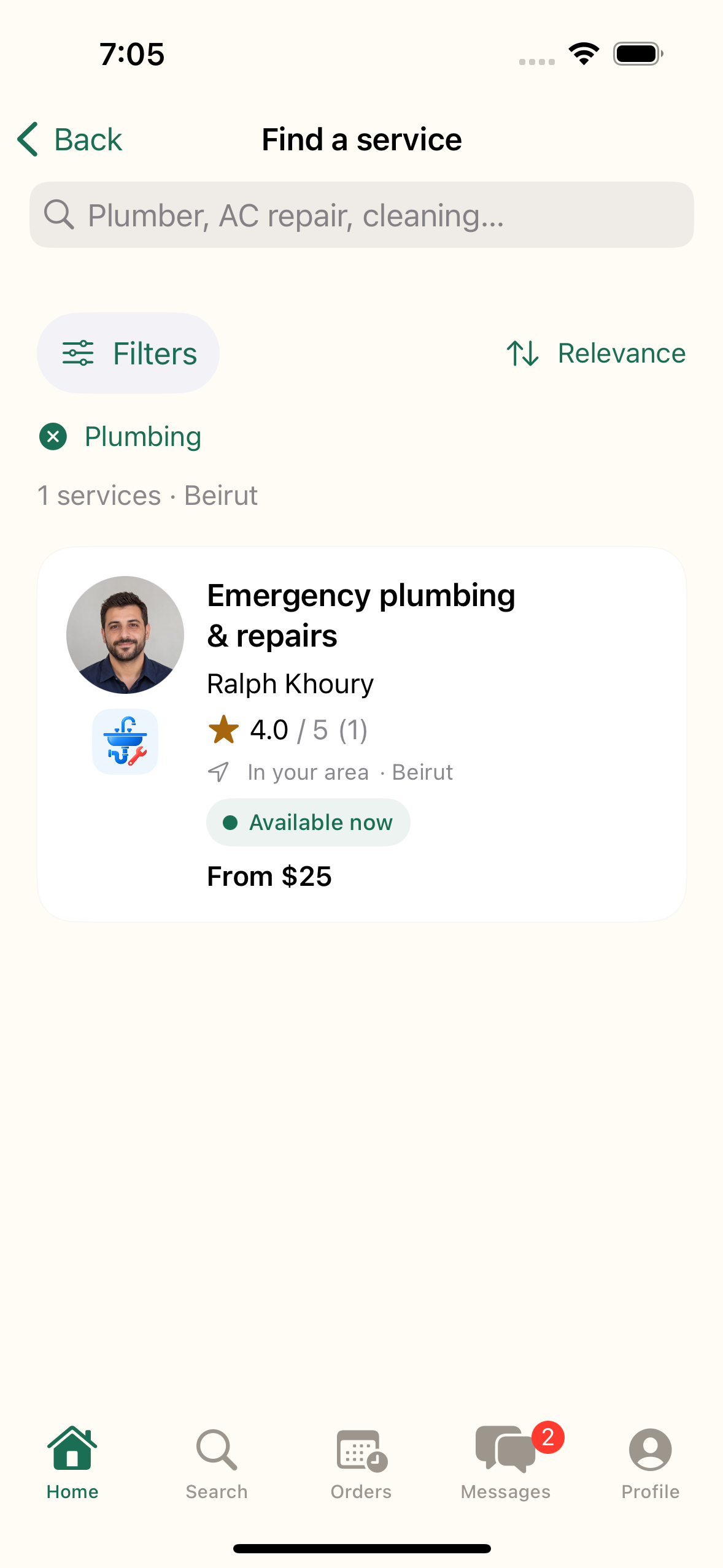
Find your service
From Home, choose Plumbing or use the search field.
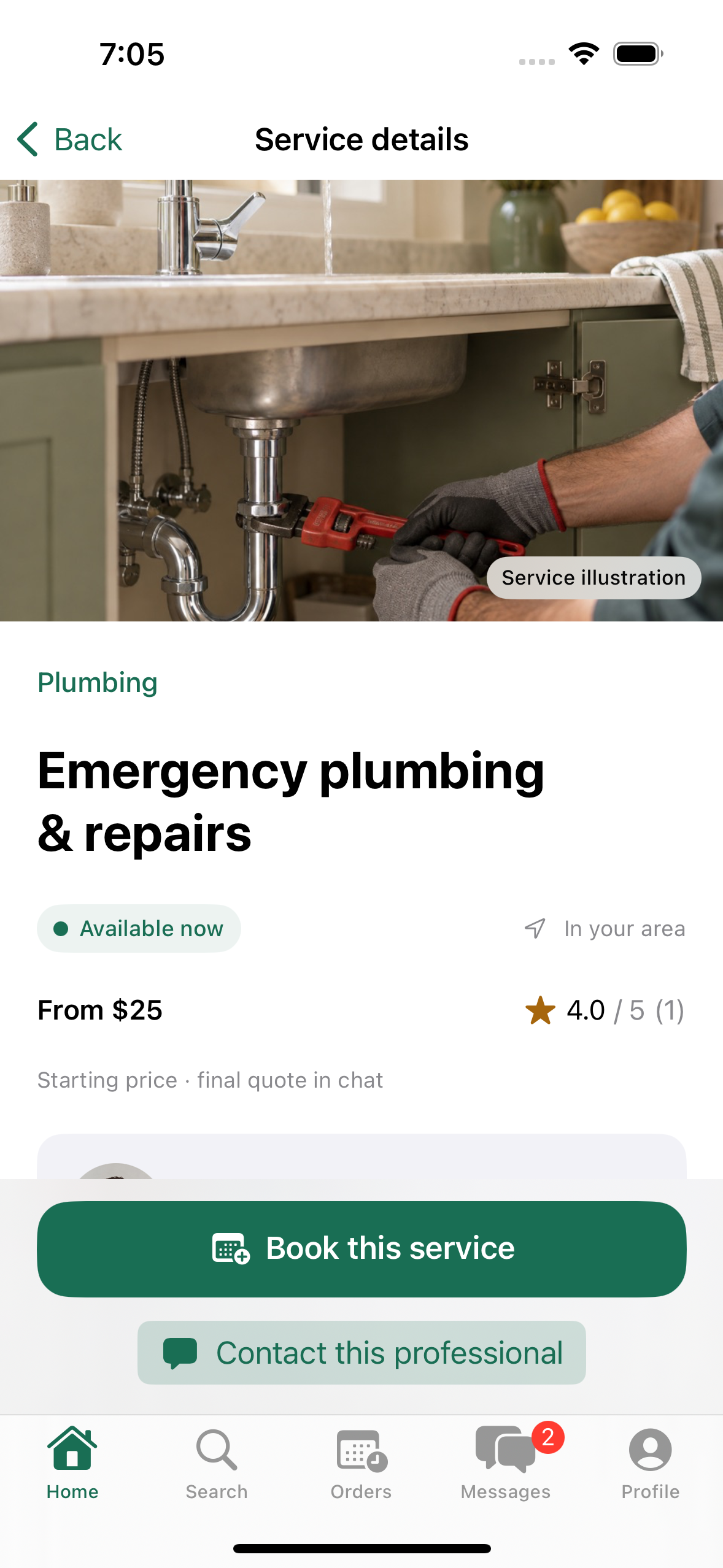
Choose a professional
Check the profile, then tap “Book this service”.
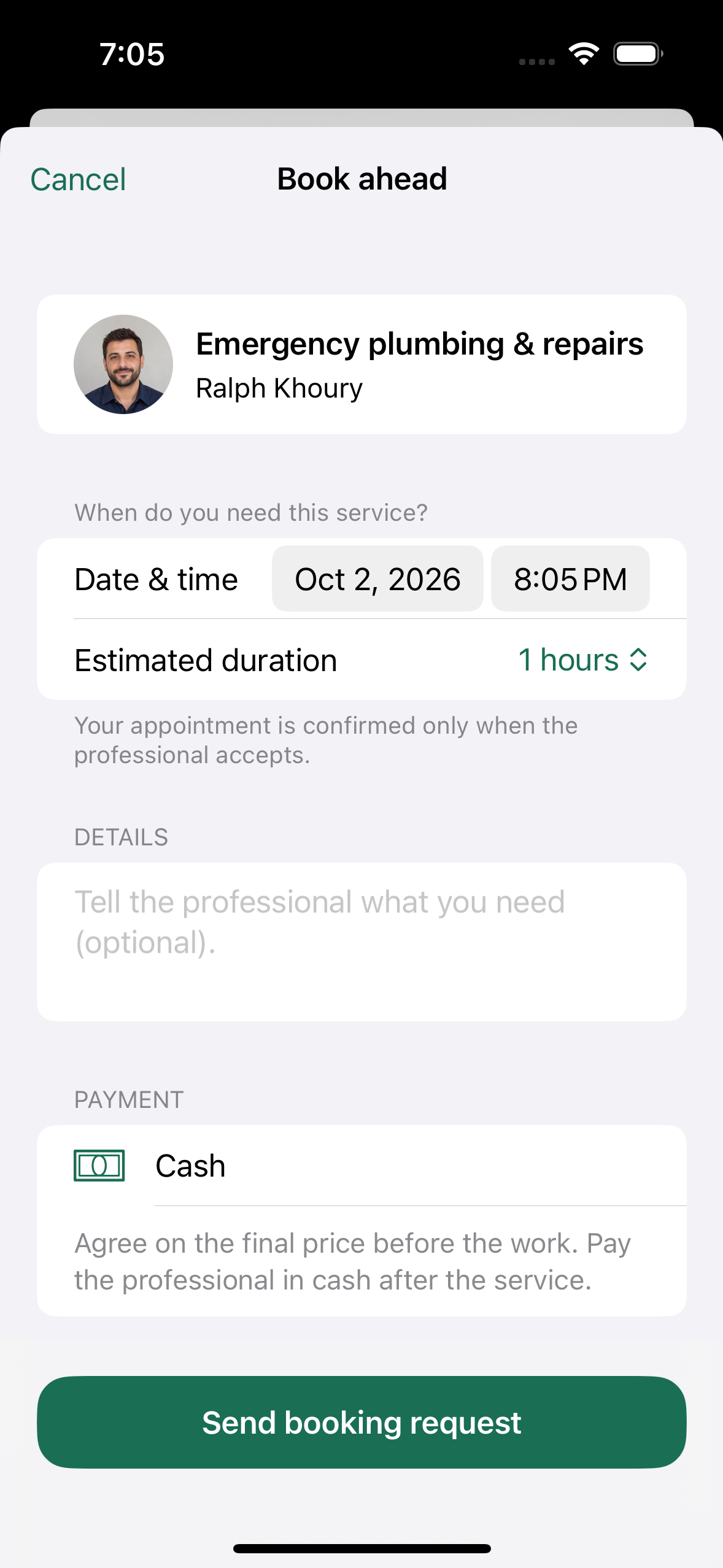
Choose your time
Set a date and time, then send your request. The professional confirms it.
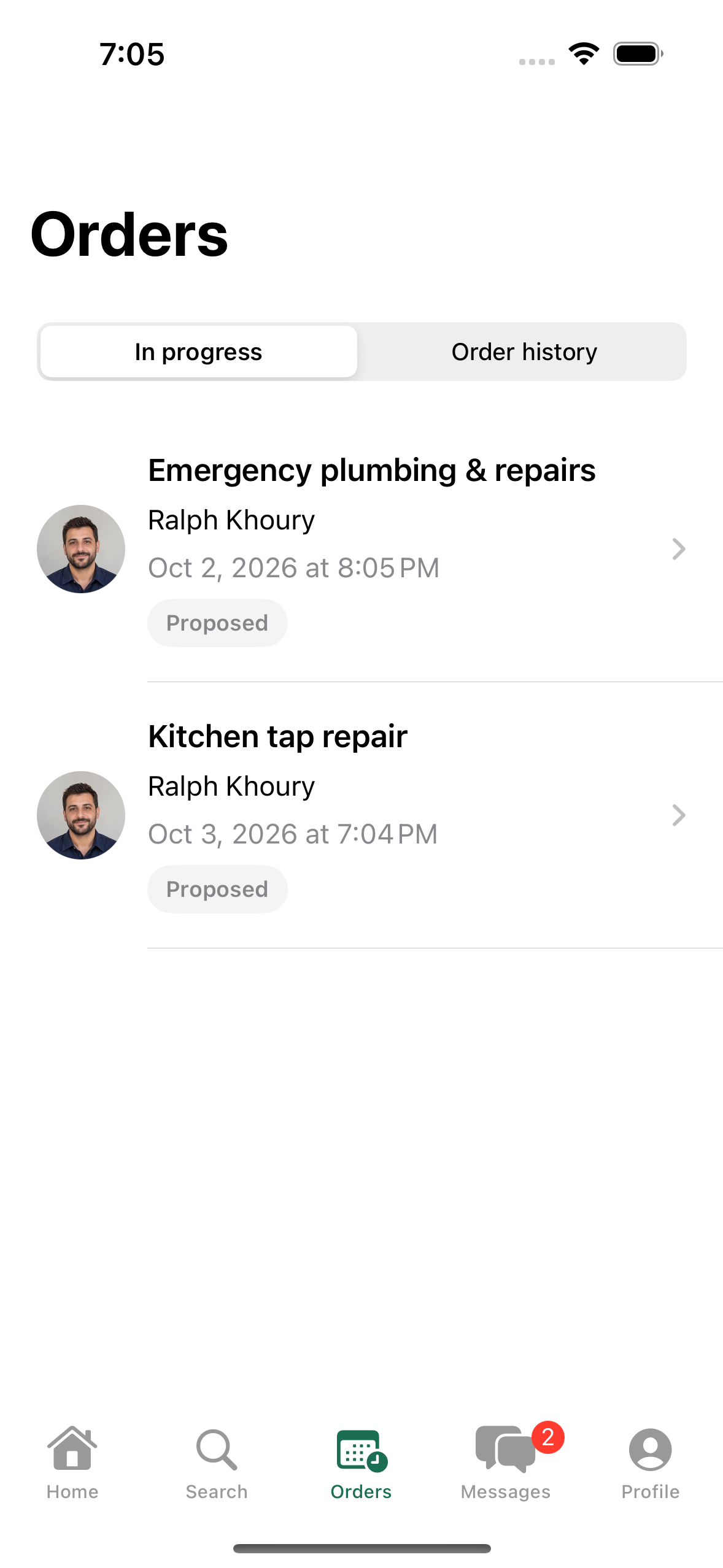
Follow your booking
Open Orders. Completed services appear in Order history.
Screens from the app, using example accounts.
Agree on the price. Pay in cash.
All your services.
One click away.